Mac · Apple Silicon
M1 or newer · macOS 12+
Download ZIP ↓ 212 MBSHA-256 checksum
da8075cba4e12c2a192d722ca3910e4dd2402bfcf10389625b2bfb551b69f939Markdown Podcast Studio LATEST RELEASE · MAC + WINDOWS
Drop in Markdown or research notes. Draft an editable two-host podcast, choose distinct local voices, and make an MP3 you can listen to anywhere.
Choose your download ↓How to get started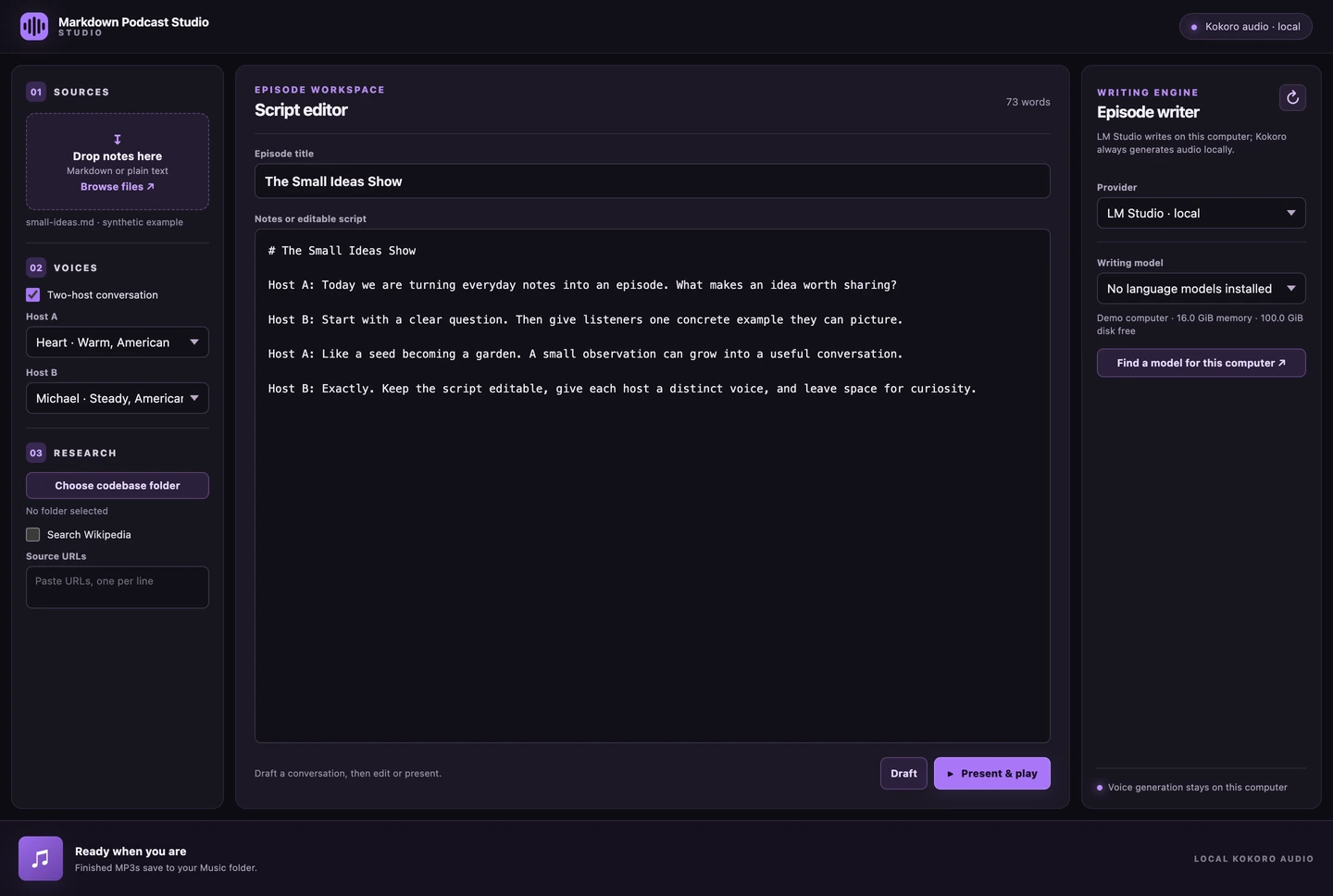
01 / DOWNLOAD
Desktop release 0.2.1. Extract the full ZIP before opening the app.
M1 or newer · macOS 12+
Download ZIP ↓ 212 MBda8075cba4e12c2a192d722ca3910e4dd2402bfcf10389625b2bfb551b69f939Intel processor · macOS 12+
Download ZIP ↓ 218 MBb925a67739e078f2250ef0019ace5233941f72caccc19b4263bef9980b120a54Windows 10/11 · Intel or AMD x64
Download ZIP ↓ 261 MBf0cc34f77b36fd49215eb0f8b664fbcc9c1acfd0ee4b3dd9d79c3205703b553bThese early builds are unsigned and not notarized. macOS or Windows may warn or block them because there is no verified publisher signature. No security-bypass launcher is included.
Download all checksumsDraft a talk-show style exchange with an optional writing provider. Edit every line and choose a distinct Kokoro voice for each host.
Paste notes or drop Markdown/text files. Optional codebase, Wikipedia, and web-source research can inform a draft; the final script stays editable.
Render voice audio locally and export MP3 through FFmpeg. Single-narrator mode reads prose directly without an AI writer.
02 / FIRST SESSION
Electron includes the desktop runtime. MP3 export needs FFmpeg installed separately and on PATH. The Kokoro voice model downloads on first use. Automatic dialogue drafting needs LM Studio or a separately installed, signed-in Codex/Claude CLI.
Mac: unzip and move MarkdownPodcastNarrator.app to Applications. Windows: extract the entire folder and open MarkdownPodcastNarrator.exe; keep the companion files together.
Install FFmpeg using its official download guide at ffmpeg.org/download.html. For automatic drafting, start an LM Studio writing model locally or select your own signed-in CLI provider. No account or model is bundled.
Drop a Markdown/text file, choose two voices, select your writer, and click Draft. Edit the Host A/Host B script. Or turn off two-host conversation to read prose directly.
Click Present & play. The first voice render downloads the Kokoro model. Finished files save in Music / Markdown Podcast Narrator; use Show file to find the result.
03 / RELEASE NOTES
Native CI checks startup, the rendered interface, and Kokoro/ONNX imports on each platform. These checks do not validate a complete generated episode, audio quality, or every writing provider. Notes and research sent to a CLI writer use your provider account and may consume limits or incur charges. The display name has changed; the project ID and local data location are preserved.
Documentation images capture only the app’s own interface with synthetic fixtures. No screen, camera, or microphone recording, personal media, voice cloning, or paid AI generation was used.