Mac · Apple Silicon
M1 or newer · macOS 12+
Download ZIP ↓ 111 MBSHA-256 checksum
2e5e79ba3441c9da847af5a95ceb6dc8062c018862d43f96847cad7a64aad65fStream DJ LATEST RELEASE · MAC + WINDOWS
A local-first desktop radio studio for your music library, show programming, audience requests, and optional AI DJ voice links. Plan the show, then take it on air when you are ready.
Choose your download ↓How to get started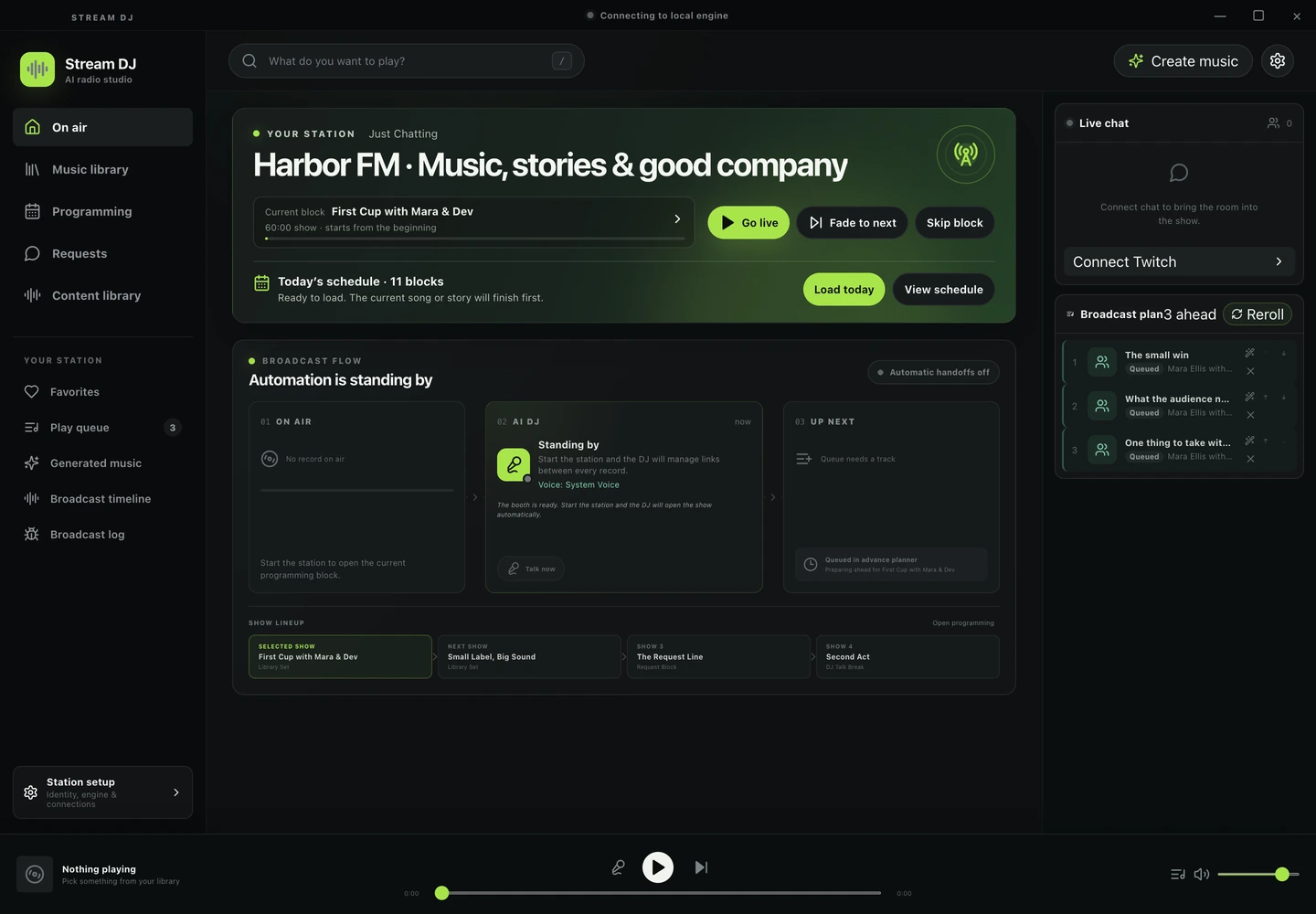
01 / DOWNLOAD
Desktop release 0.1.5 (prerelease). Extract the full ZIP before opening the app.
M1 or newer · macOS 12+
Download ZIP ↓ 111 MB2e5e79ba3441c9da847af5a95ceb6dc8062c018862d43f96847cad7a64aad65fIntel processor · macOS 12+
Download ZIP ↓ 116 MB1e10c4774e1c1e0b92c64c6ea6a26d918320a45cf61f57361d36a4f8394b95b0Windows 10/11 · Intel or AMD x64
Download ZIP ↓ 135 MB8dfb136593dc49d2e9e9c6323dbcf2cdfb51ed4bd8d551511a83521dd2603b1dThese early builds are unsigned and not notarized. macOS or Windows may warn or block them because there is no verified publisher signature. No security-bypass launcher is included.
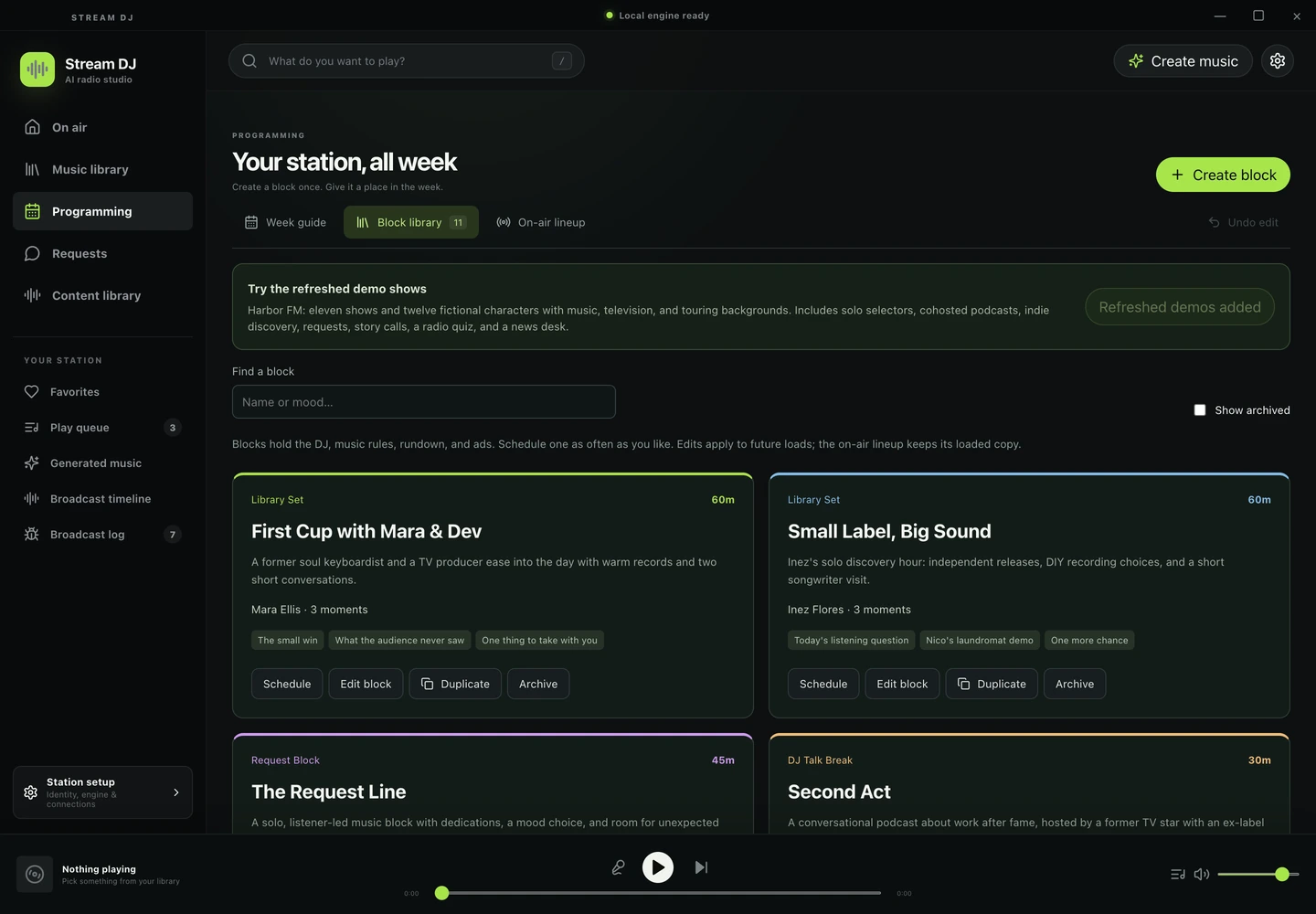
Download all checksumsCreate reusable show blocks, schedule a week, and organize a lineup with hosts, music, and talk segments.
Import audio you have permission to use, build a play queue, review audience requests, and control playback from one desk.
Configure writing, music, and voice providers separately. Explore generated DJ links and content packages while keeping your station data local.
02 / FIRST SESSION
The desktop runtime and local backend are included. Local audio playback and planning need no AI account. AI generation, local model/Python tools, FFmpeg processing, and streaming integrations have their own setup and are not bundled.
Mac: unzip and move StreamDJ.app to Applications. Windows: extract the whole folder and run StreamDJ.exe. Keep all extracted companion files together.
Open Music library and import local audio you have permission to play. The app opens idle; it does not start broadcasting or generating audio on launch.
Open Programming, create a block, and add it to your schedule. Review its music, participants, and talk segments before loading a day into the broadcast plan.
Use Station setup for optional writing/voice providers and platform connections. Return to On air, review the queue and output, then start the station when ready. Service accounts, keys, local models, and paid generation are your choice.
03 / RELEASE NOTES
This is an early desktop release. Native CI checks the packaged UI and authenticated loopback backend with a stopped synthetic station. Live Twitch/YouTube connections, real AI providers, generated music, device audio routing, and unattended broadcasting still need validation in your setup. The app source remains private. There is no hosted browser version.
Documentation images capture only the app’s own interface with synthetic fixtures. No screen, camera, or microphone recording, personal media, voice cloning, or paid AI generation was used.